
Coming soon to the Mac App Store
Invoicing app for Mac
Quotes, invoices and time tracking.
One Mac app, no cloud account.
MacBusinessSuite is a native macOS app for small businesses and freelancers. You write quotes and invoices, send e-invoices, match payments, track hours from the menu bar and see where your money stands. The data lives on your Mac, not on our servers.
- macOS 15 or later
- No account
- Data stays on your Mac
- XRechnung and ZUGFeRD
- 15 languages
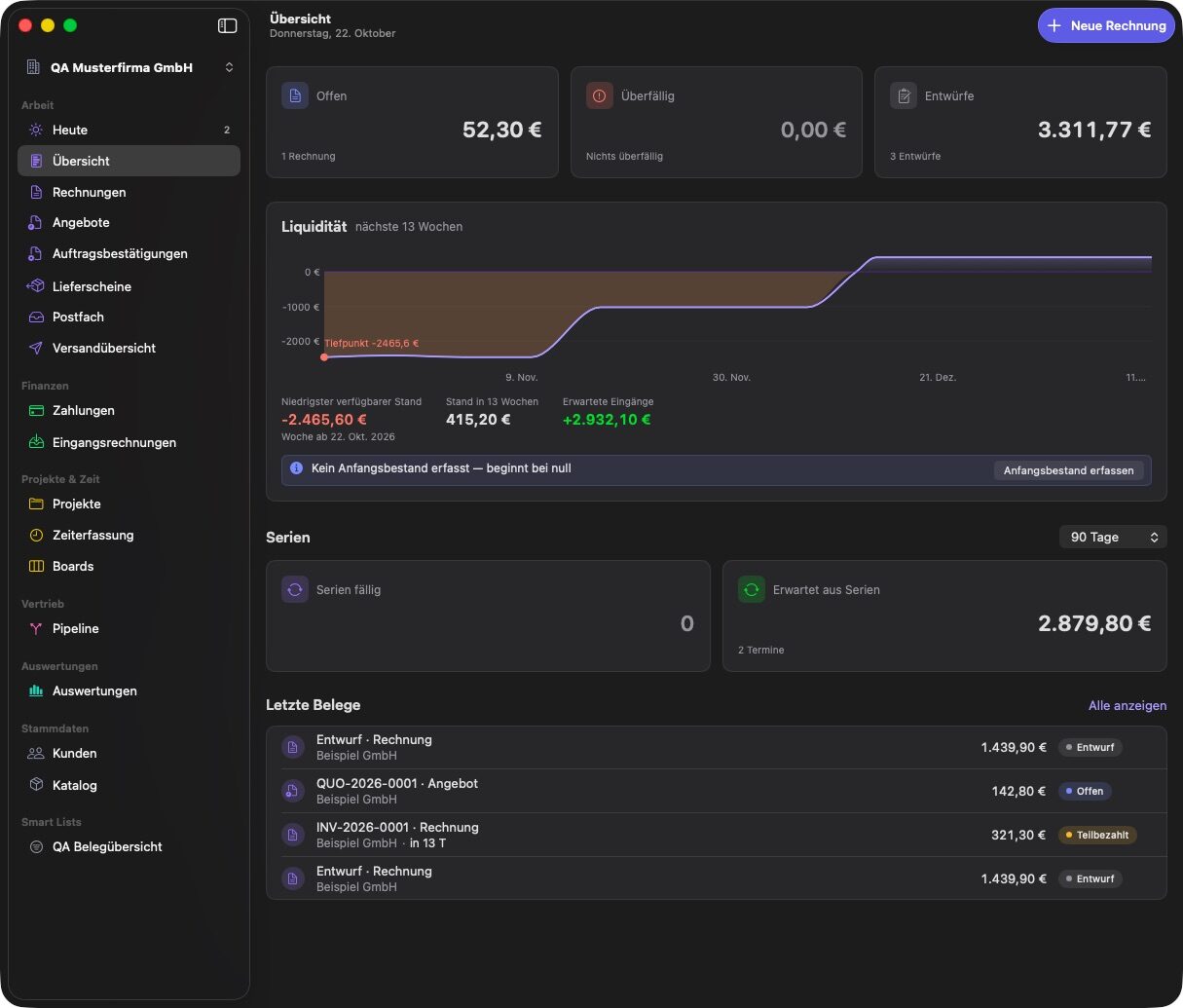
Screenshots show the app with sample data in German.
Features
What MacBusinessSuite does
Every section below describes something the app does today. Seventeen areas, one local data store, from the first inquiry to the tax export.
01 / 17
Today shows what needs attention
The Today view collects everything that is due in one list, grouped and counted. Each row opens its record, and simple actions like ticking off a ticket run right from the list.
- Due tickets from all boards
- Overdue invoices and quotes to follow up
- Recurring invoices that are due and unbilled time
- Failed deliveries and new inbound receipts
- Running timer on top, counter in the menu bar and as an optional Dock badge
02 / 17
Overview and cash flow forecast
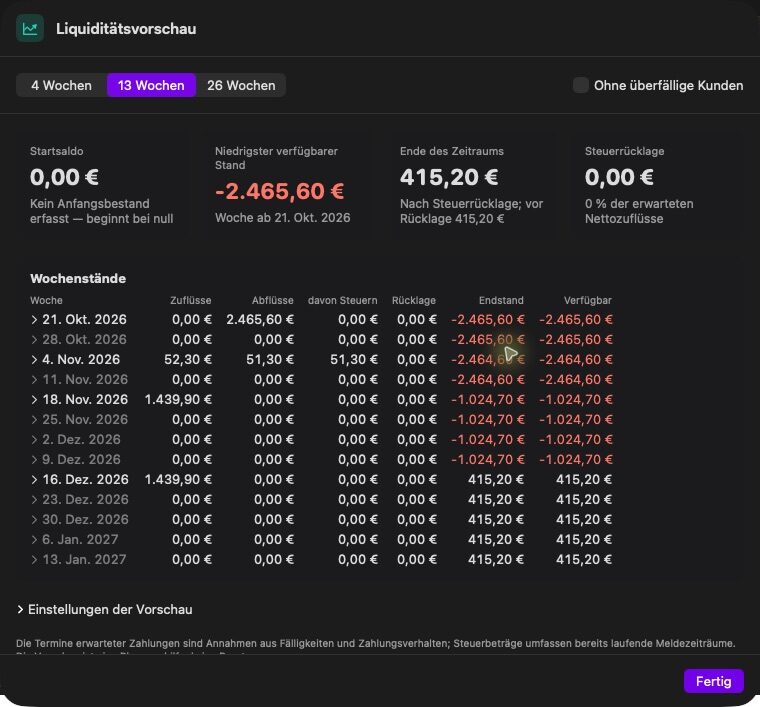
The overview shows the key figures of the active company: open receivables, income and expenses. The cash flow forecast looks 4, 13 or 26 weeks ahead and explains every amount.
- Open invoices weighted by how each customer usually pays
- Recurring invoices, due bills and expected tax payments
- Opening balance plus imported bank transactions
- Income tax reserve as a percentage
- Scenario without overdue customers, with a jump to the document
03 / 17
Customers and catalog
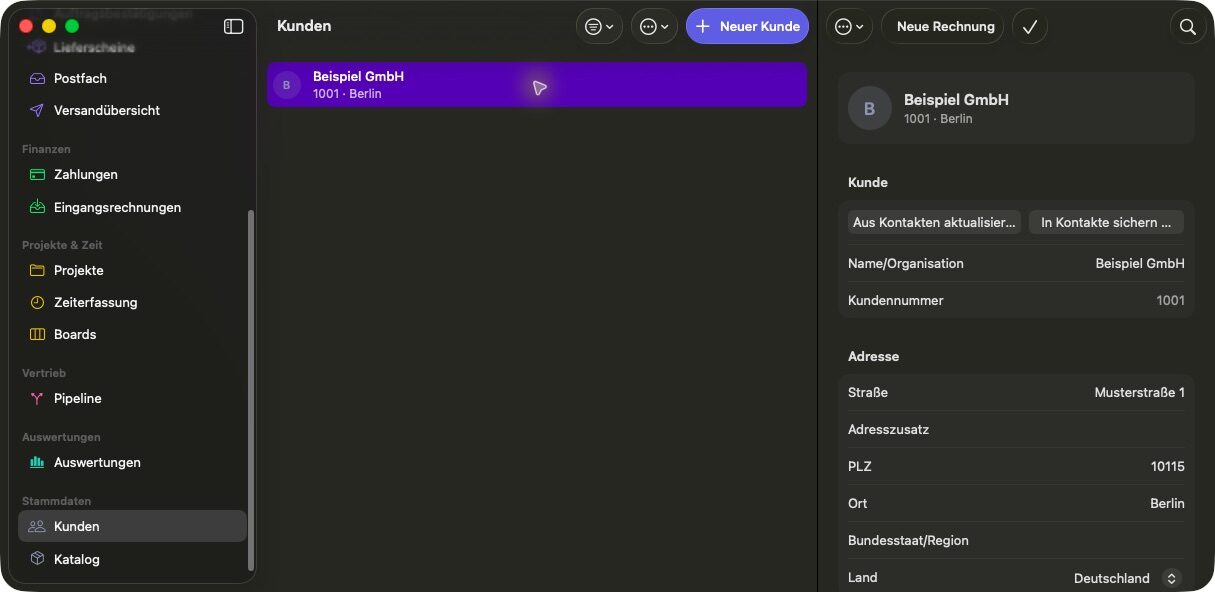
Customers and suppliers share one record with addresses, contact persons, tax IDs, document language and payment terms. Your catalog holds the items and services you bill again and again.
- Import from Contacts with a field comparison, or from CSV, XLSX, vCard and DATANORM
- VAT ID check against the EU VIES service
- Items and services with groups, prices, tax category and translations
- Copy a customer to another company when you need it there
04 / 17
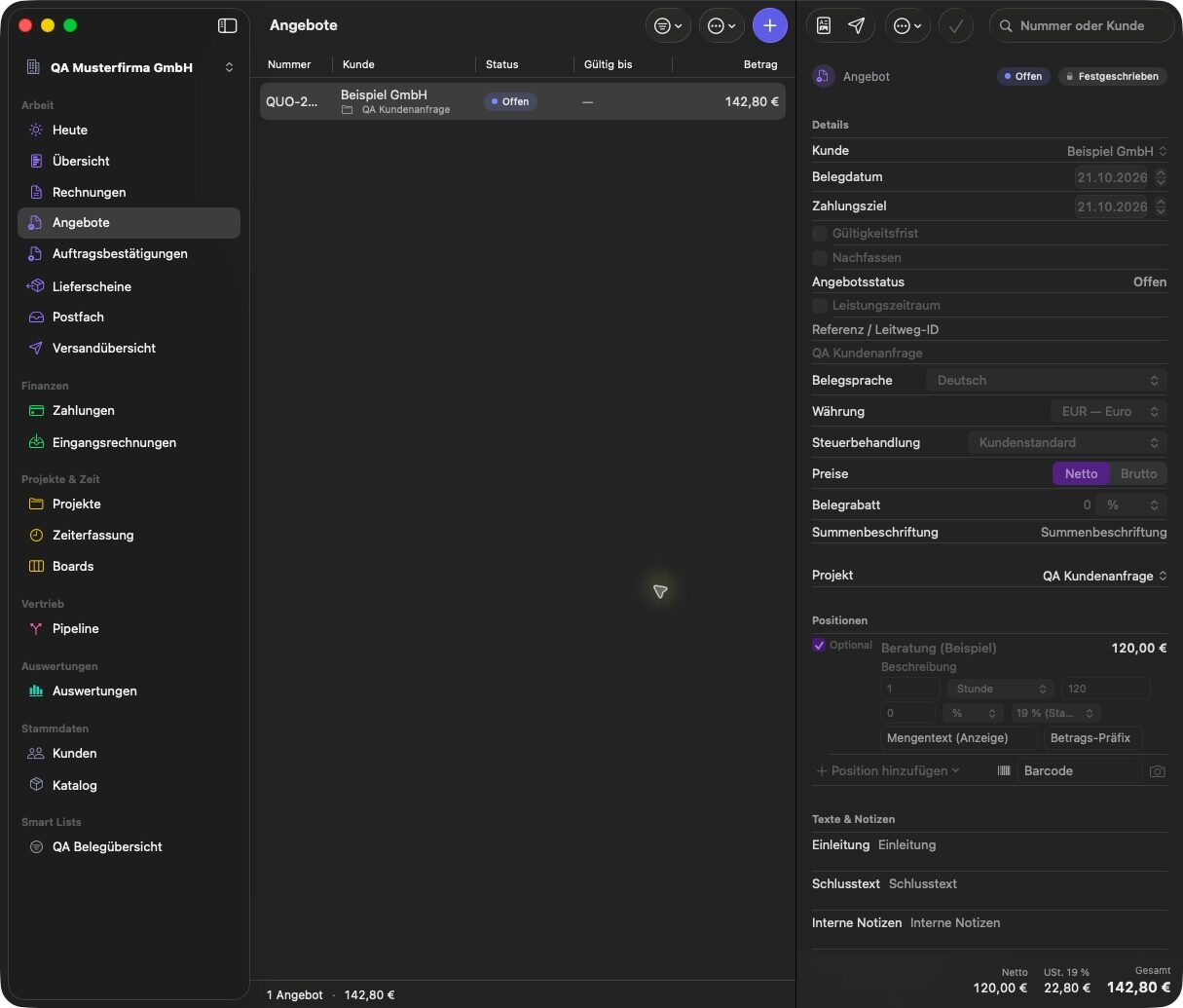
Sales pipeline and quotes
Inquiries move through the pipeline from inquiry to quote, negotiation, won or lost. A quote can contain optional items, and once the customer decides, the chosen items become an invoice draft.
- Create customer, quote draft and project in one step
- Follow-up dates, loss reasons, win rate and order value per currency
- Validity, preview and accepted or declined with a note
- Order confirmations and delivery notes on the same document base
05 / 17
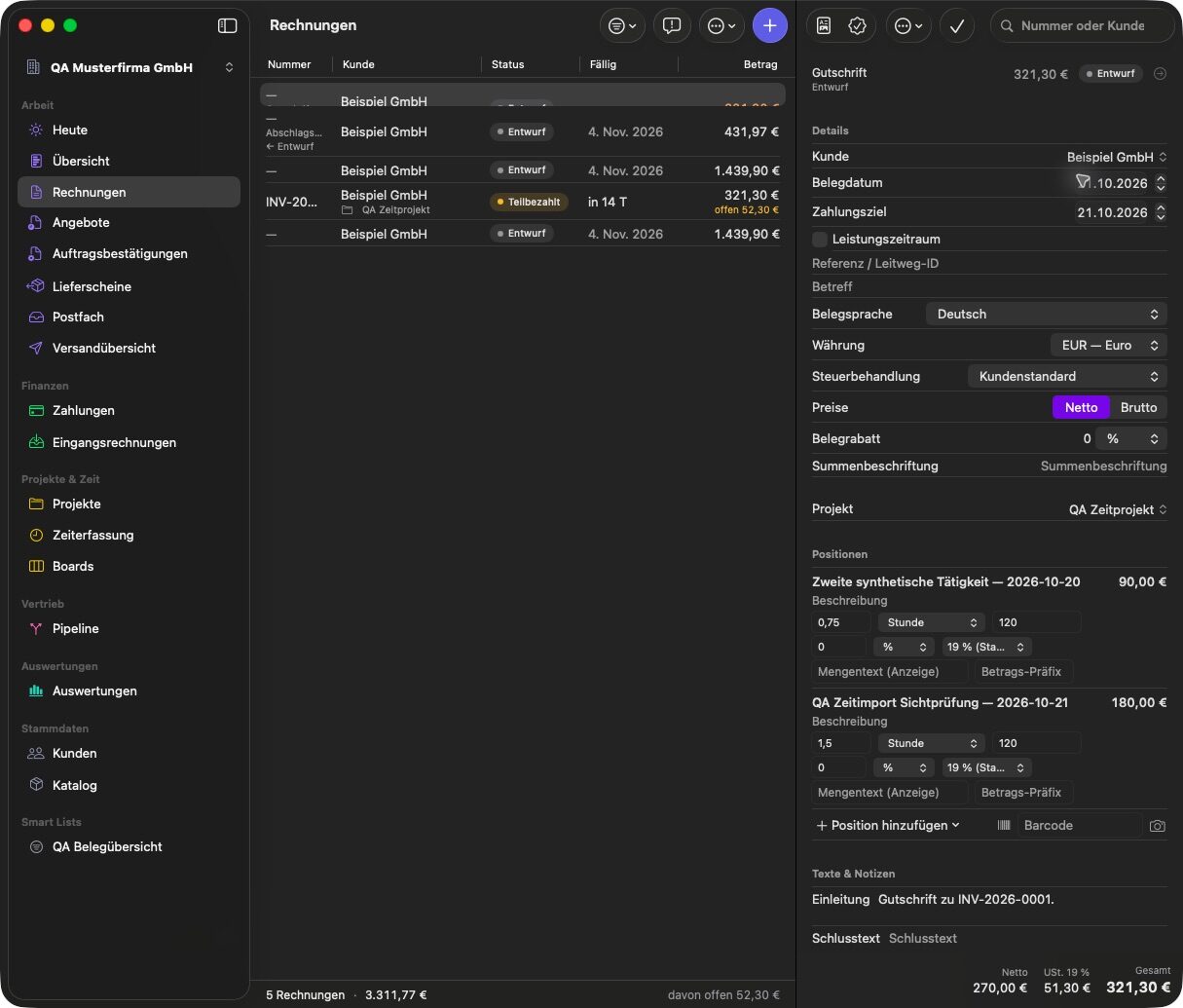
Invoices, e-invoices and PDF/A
You edit an invoice as a draft and check it. Only when you issue it does it get its final number, and the output is frozen and archived as PDF/A or as a structured e-invoice.
- Partial and final invoices, corrections, cancellations and recurring invoices with a monthly run
- ZUGFeRD and Factur-X, XRechnung and EN 16931 as UBL or CII
- Peppol BIS as a file (there is no Peppol network transport)
- Visual layout editor, payment codes including the Swiss QR bill
- Optional activity report with the hours behind the invoice
06 / 17
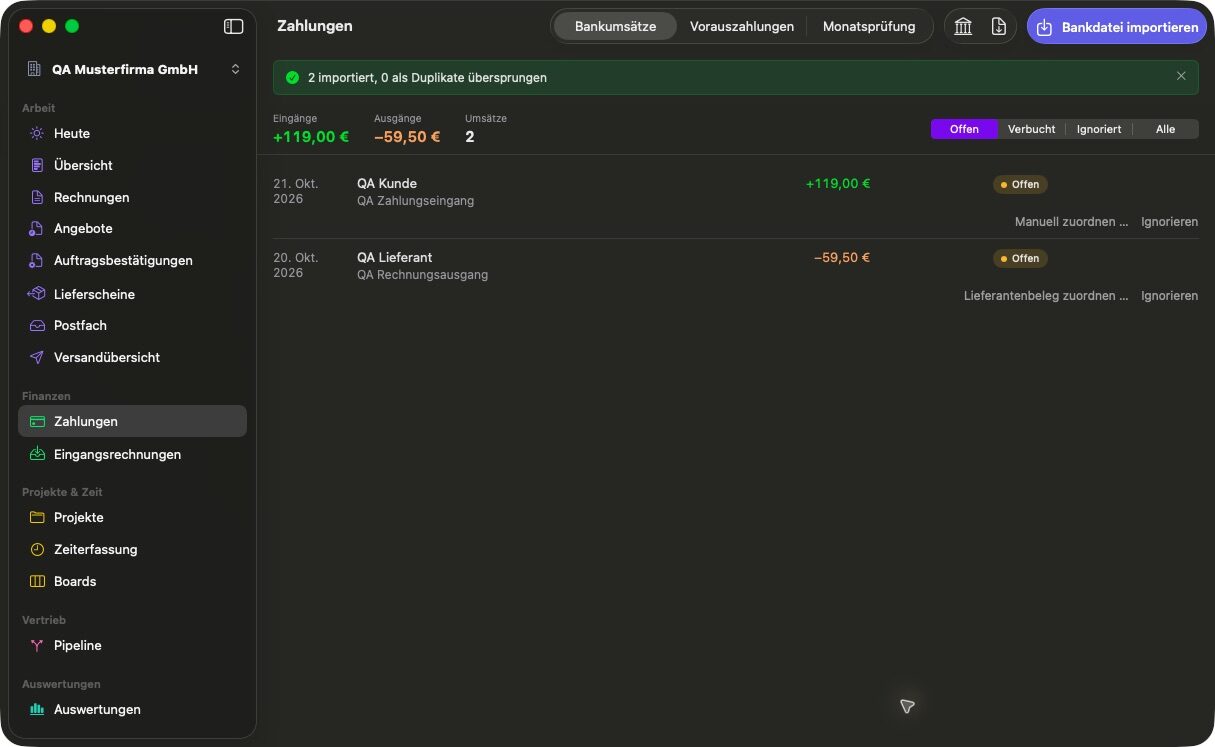
Payments and bank import
Payments are booked against invoices, including partial payments, early payment discounts and exchange differences. Bank statements come in as files or straight from Wise Business and Mercury.
- CAMT, OFX, QFX and CSV import with a preview
- Direct read only access to Wise Business and Mercury, with no server of ours in between
- Matching suggestions you confirm before anything is booked
- SEPA direct debit files (pain.008) and ECB exchange rates
07 / 17
Dunning
Dunning works with levels you configure. The app lists what is overdue, creates the reminder letters and lets you take back a reminder that has not been delivered yet.
- Configurable dunning levels
- Overview of due receivables
- Reminder documents in the same layout as your invoices
- Undelivered reminders can be withdrawn

08 / 17
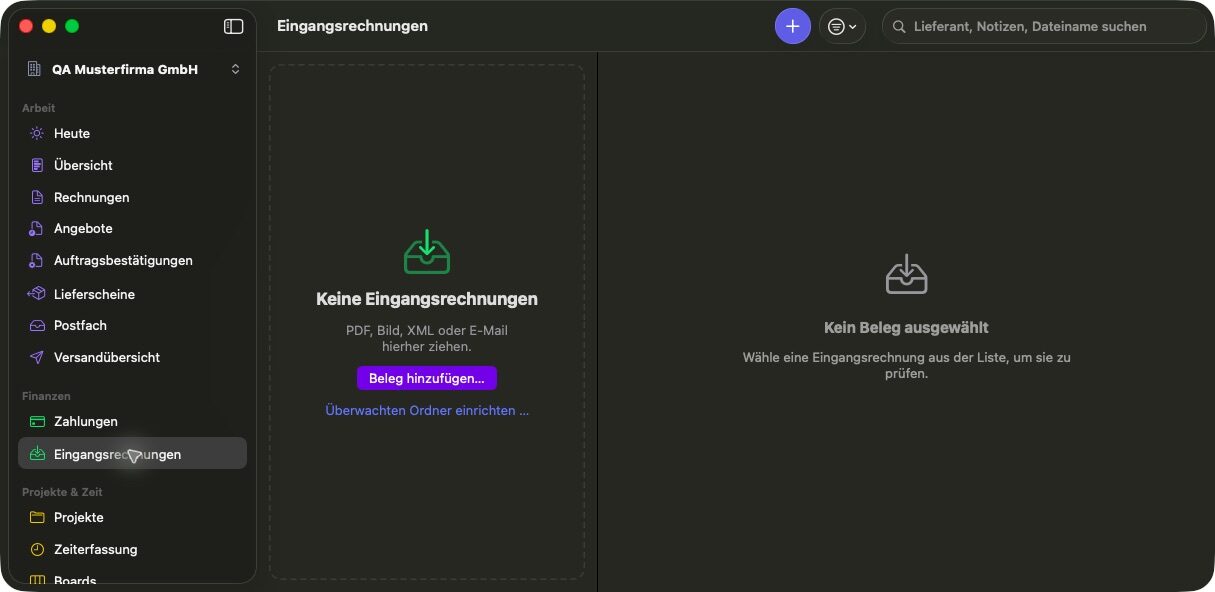
Inbound receipts with text recognition
Supplier bills arrive as files, from a watched folder or as mail attachments. Text recognition and the e-invoice reader fill in the fields, and you check them before anything is saved.
- PDF, image, XML or mail, also by drag and drop
- Supplier, project, category, tax lines, private share and currency
- ECB rate for the document date filled in
- Filter open, due or paid bills
09 / 17
Projects and profitability
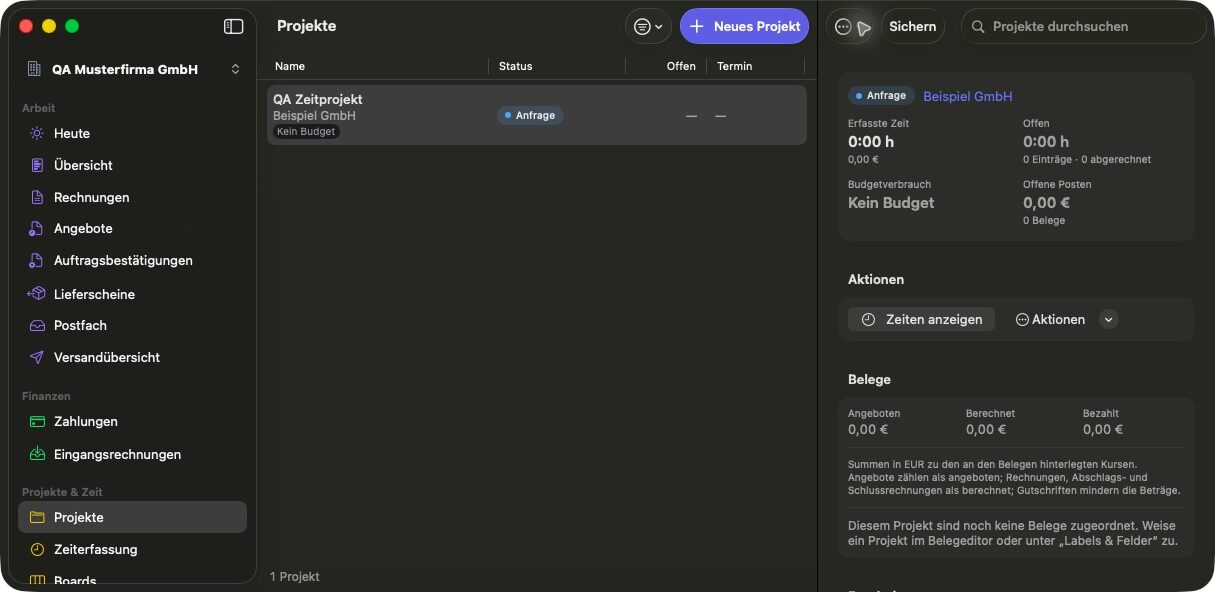
A project ties together customer, documents, hours, tickets and notes. Its result shows revenue, hours, effective hourly rate, expenses, internal costs and margin for any period.
- Status, dates, hour or amount budget and fixed price
- Quoted, invoiced, paid and open amounts in one place
- Calls, mails, meetings and decisions in the project log
- Contracts and retainers with hour quotas and carry-over
- Status report as a PDF in the customer's language
10 / 17
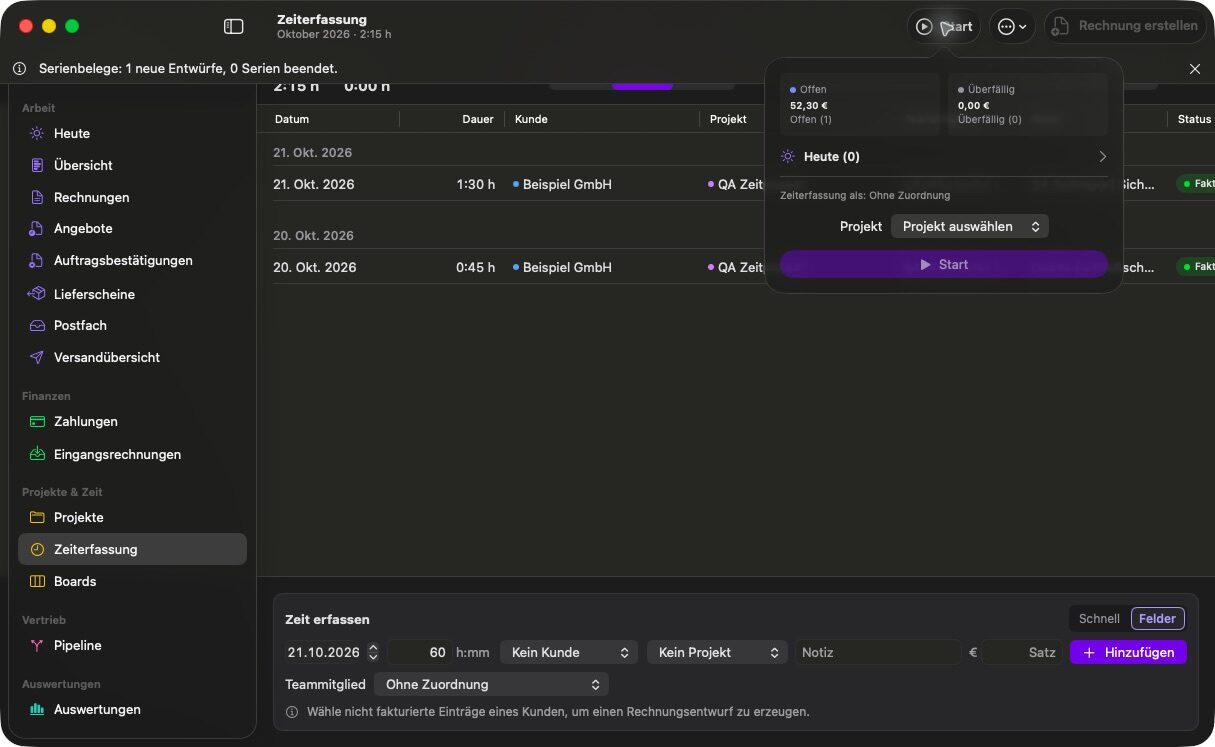
Time tracking with a menu bar timer
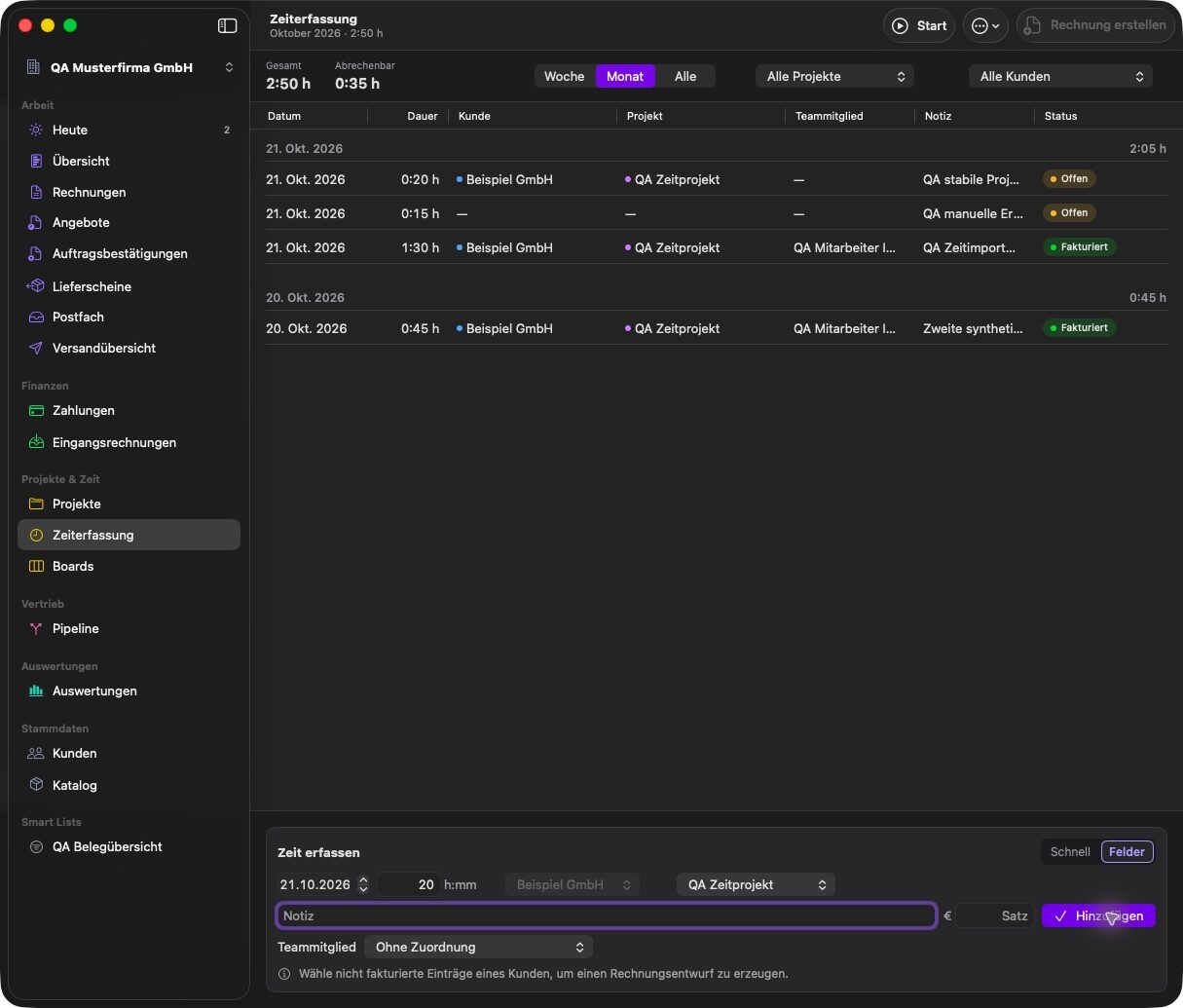
Start the timer from the menu bar, pick a project and describe what you did when you stop. Open hours turn into an invoice draft with a few clicks.
- Menu bar timer that survives a restart and points out possible extra time after a long break
- Manual entries and suggestions from your calendar
- Rates from entry, project, team member, customer or company
- Separate activity report as an attachment to the invoice
11 / 17
Kanban boards for project work
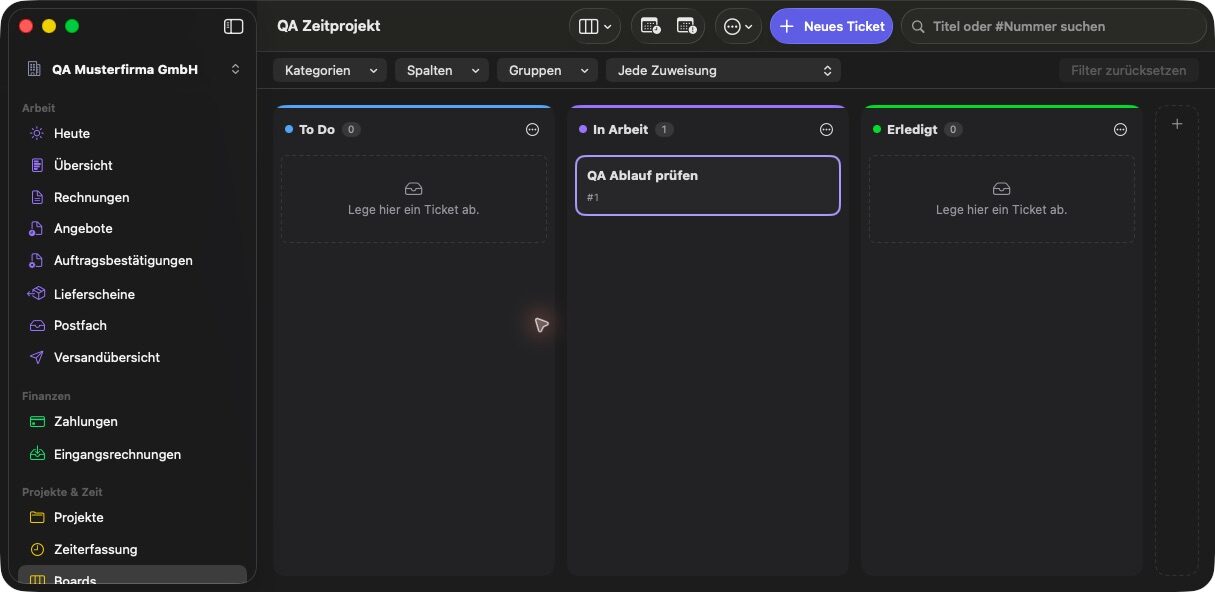
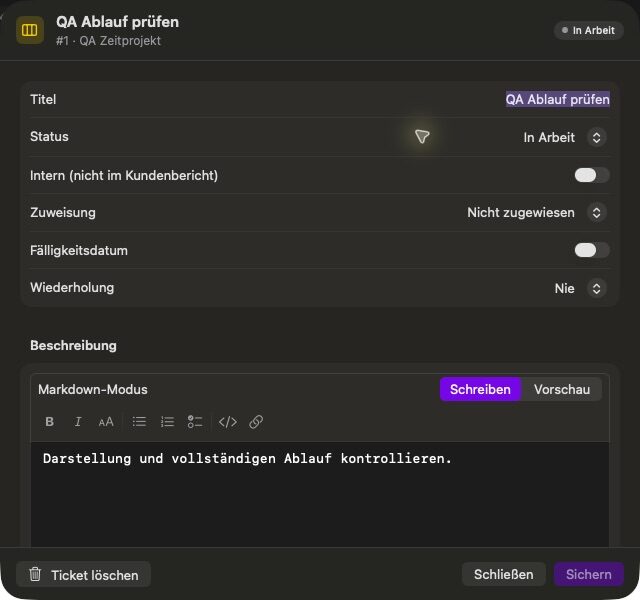
Every project can have a board with columns you name yourself. Tickets carry a Markdown description, an assignee, a due date and subtasks.
- Assign to yourself, the customer or a team member
- Due today and overdue markers with a reminder
- Groups, subtasks, filters and recurring tickets
- Drag and drop or keyboard, and board templates
- An internal office project for your own admin tasks
12 / 17
Mailbox and tickets
The app fetches mail from your own IMAP account and keeps the original. A message becomes a ticket, an inquiry or an inbound receipt, and its origin stays linked.
- Your own SMTP and IMAP accounts, passwords in the Keychain
- Ticket comments keep internal notes and replies to the customer apart
- Outbox with every send job, attempts and retries
- Mail templates for eleven message types in several languages
13 / 17
Reports and tax exports
Reports cover revenue, open items, project and customer comparison, internal costs, margin and exchange differences. Tax exports depend on the country and registrations you set up.
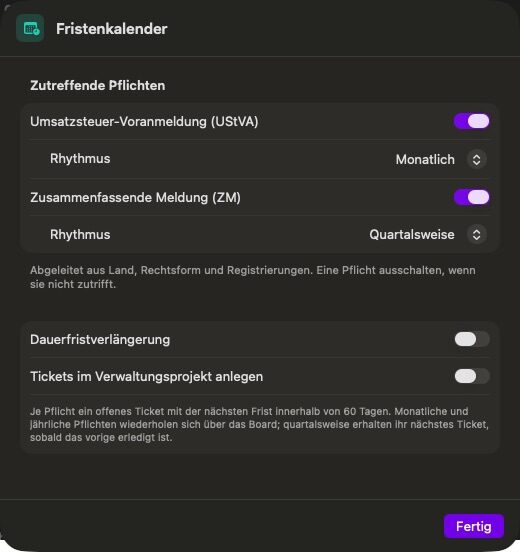
- German VAT return data (UStVA), EC sales list (ZM) and OSS
- US sales tax and DATEV booking batches
- Package for your tax adviser and a GoBD export for auditors
- Deadline calendar for DE, AT, CH, GB, US and EU OSS
- Deadlines are suggestions, not tax advice
14 / 17
Several companies and your team
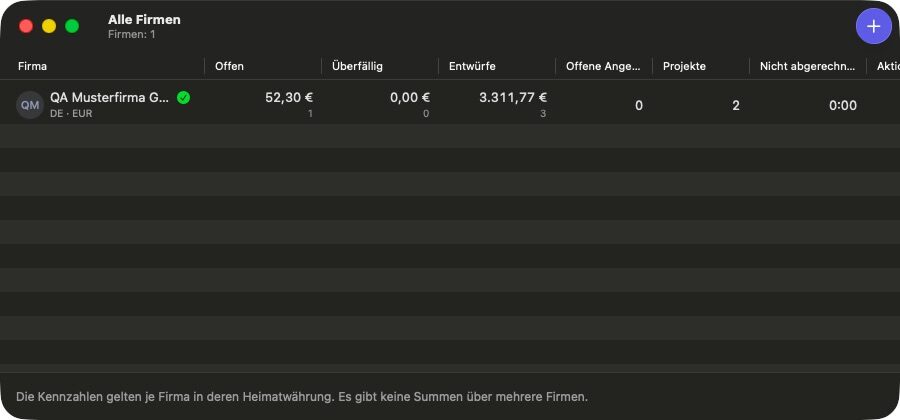
One data store can hold several companies. Documents, projects, hours and boards stay separate per company, and you switch from the sidebar or the company menu.
- Legal form, country, tax regime, bank accounts and number ranges per company
- Team members with initials, role, internal cost rate and sales rate
- Hours and revenue per team member and a capacity plan
- Roles describe people, they do not grant permissions
15 / 17
Built into macOS
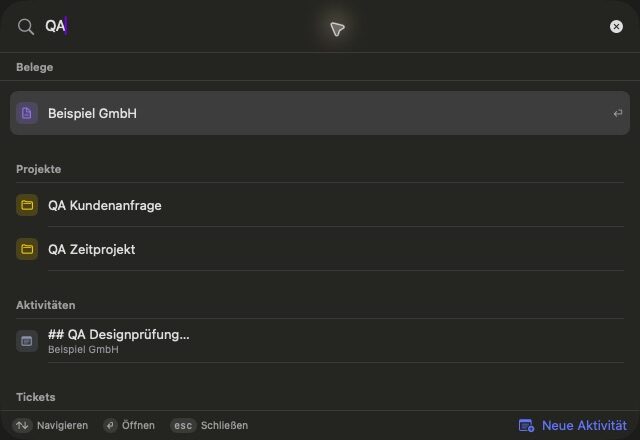
MacBusinessSuite uses what the Mac already offers. Search with Command K or Spotlight, add widgets to the desktop and automate with Shortcuts or AppleScript.
- Three widgets for open items, Today and the timer
- Notifications with actions and a Focus filter per company
- Own calendar and reminders list for due dates
- Shortcuts, AppleScript dictionary, links to records and the Services menu
- Interface in 15 languages, light and dark mode
16 / 17
Optional AI on your Mac
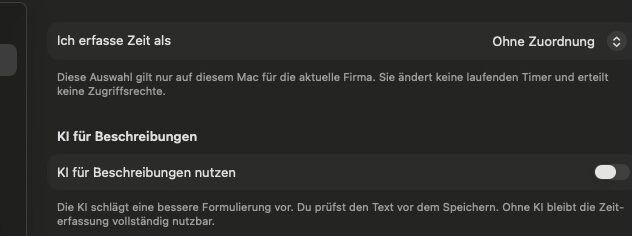
AI is off until you switch it on. With Apple's on-device model it rewrites activity texts, suggests fields for receipts and drafts mail texts and tickets, and you check every suggestion before it is saved.
- Apple model on the Mac, no API key, no cloud fallback
- Needs macOS 26, a compatible Mac and Apple Intelligence
- OpenAI only if you choose it, with your own key and separate consent, and only for activity texts
- Nothing is booked or sent automatically
17 / 17
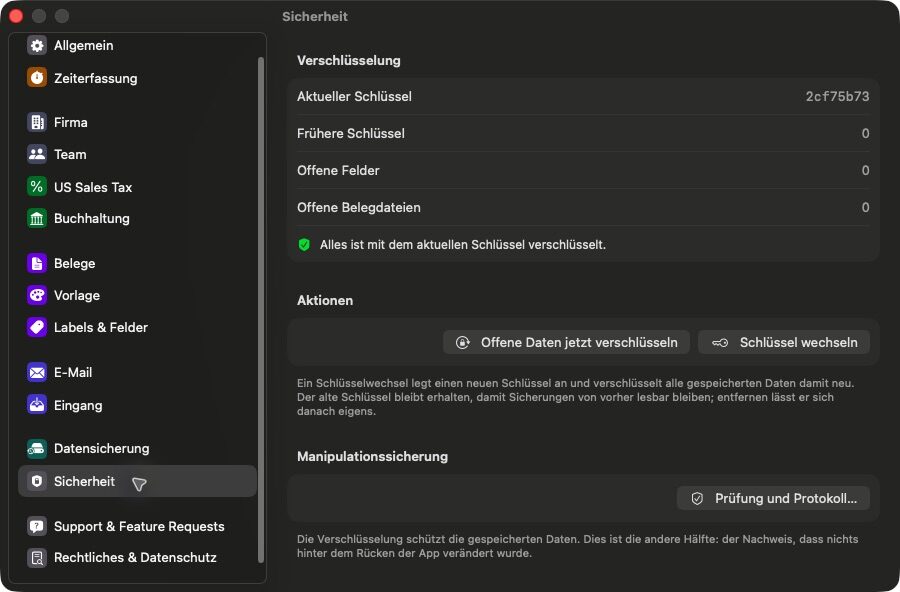
Security, backup and local data
Your records stay in the app's container on your Mac. Bank data is encrypted per field with keys in the Keychain, and an app lock asks for Touch ID or your password.
- App lock with Touch ID, Apple Watch or your Mac password
- Audit log and protection for unsaved changes
- Backup and restore including archived files, optionally with a password
- Built for one active Mac, there is no sync between devices
Privacy
Your business data stays on your Mac
MacBusinessSuite has no account, no server of its own for your records and no analytics in the app. It connects to a service only when a feature needs it.
No account
There is no registration and no login. You open the app and start working.
Stored locally
Customers, documents, payments and hours are stored on your Mac. Backups go where you put them.
Connections you trigger
Mail goes through your own server, VAT checks to the EU VIES service, exchange rates come from the ECB. Bank access to Wise or Mercury runs directly between your Mac and the bank.
No tracking in the app
The app contains no analytics or advertising SDK. The privacy policy lists every connection.
FAQ
Questions and answers
Short answers to what people ask before they install the app.
Where is my data stored?
On your Mac, inside the app's sandbox container. DigitalFreedom Global LLC does not receive your business records and runs no cloud storage for them. You decide where backups are saved.
Do I need an account?
No. MacBusinessSuite has no registration and no login. Purchases and the subscription run through your Apple Account.
How does the subscription work?
MacBusinessSuite is offered as an annual subscription in the Mac App Store. Apple handles payment, renewal and cancellation, and the app shows the current terms from the App Store. You manage or cancel it in your App Store account settings.
What happens when my subscription ends?
You keep read access to your data and can still export it. Creating and changing records needs an active subscription again.
Which macOS version do I need?
macOS 15 or later. The optional on-device AI needs macOS 26, a compatible Mac and Apple Intelligence turned on.
Does it sync between my Macs?
No. The app is built for one active Mac. To move to another Mac, create a full backup including the archived files and restore it there.
Which e-invoice formats are supported?
ZUGFeRD and Factur-X, XRechnung and EN 16931 as UBL or CII. Peppol BIS is written as a file. Sending through the Peppol network is not included.
Can I bring my existing data?
Customers and items import from CSV, XLSX, vCard and DATANORM, and from the Contacts app. Bank statements import as CAMT, OFX, QFX or CSV, hours as CSV.
Does the app replace my tax adviser?
No. It prepares exports such as UStVA, ZM, OSS, DATEV and an adviser package. Deadlines in the calendar are suggestions based on your settings, not tax advice.
Which languages does the app speak?
The interface is available in 15 languages: English, German, Spanish, French, Italian, Dutch, Polish, Brazilian Portuguese, Turkish, Danish, Swedish, Norwegian, Finnish, Japanese and Korean. Documents use the language set for each customer.
Last updated
Run your business from your Mac
MacBusinessSuite is coming to the Mac App Store. It runs on macOS 15 or later.