
GrandTotal comparison, October 2026
Time tracking, GrandTotal and MacBusinessSuite
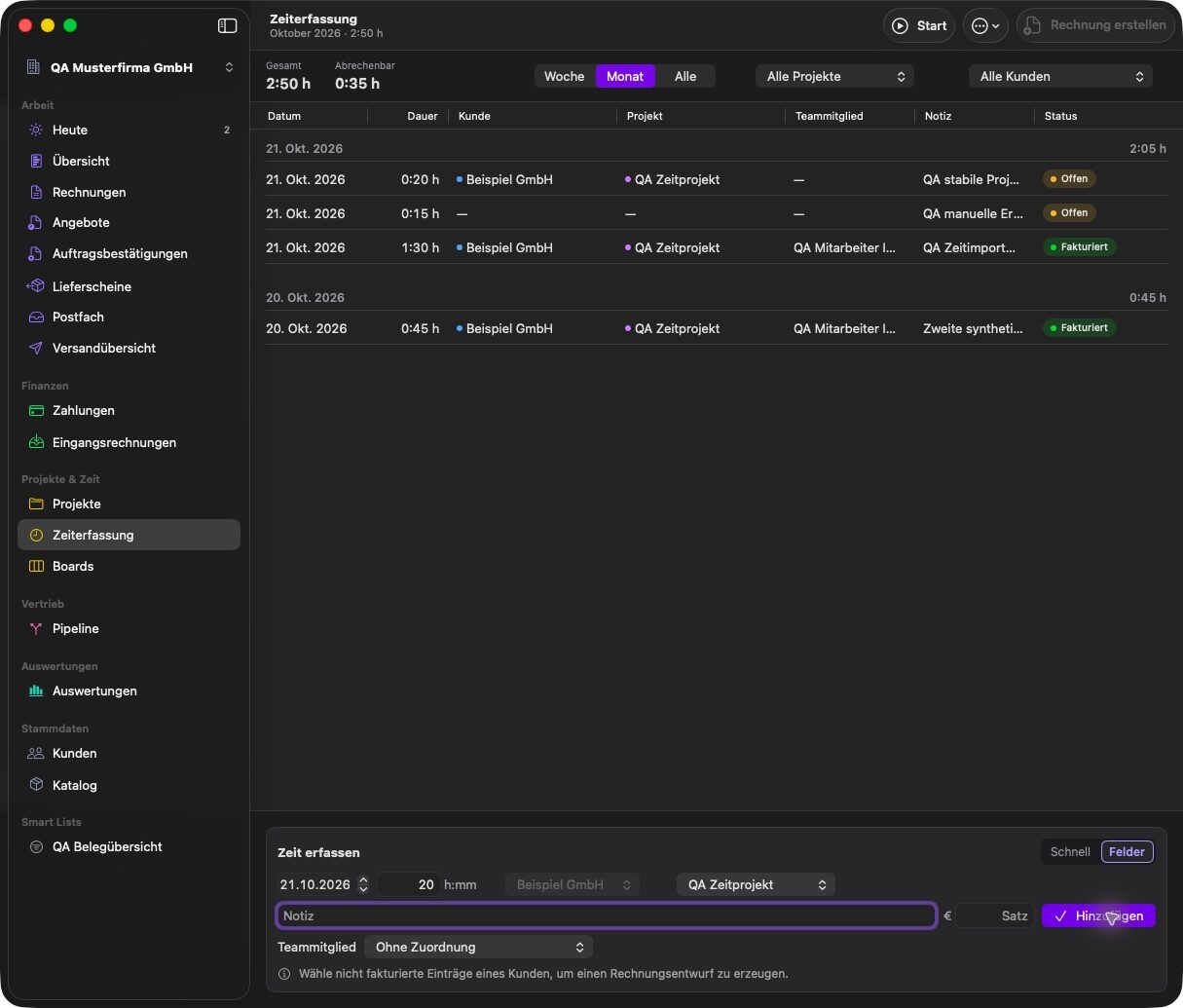
MacBusinessSuite tracks time itself, with a timer in the menu bar, manual entries and suggestions from the calendar. GrandTotal takes another route: it imports hours from 19 time tracking apps and from the macOS calendar and bills them. A built-in timer is not documented for GrandTotal.
. Written by Marcel R. G. Berger. Sources
Side by side
| MacBusinessSuite | GrandTotal | |
|---|---|---|
| Built-in timer | Yes, in the menu bar, survives a restart | Not documented |
| Import from other apps | CSV import | Plugins for 19 apps, for example Timing, Tyme, Harvest, Clockify and mite. |
| Calendar | Suggestions from calendar events by rule | Calendar entries as invoice lines |
| Rates | Entry, project, team member, customer or company rate | Project specific hourly rates |
| Hours to invoice | Selected open hours become an invoice draft; optional activity report as attachment | Imported hours are assigned to clients and billed as line items |
| Team | Hours per team member, capacity plan | Team members (XL edition) |
What GrandTotal offers here
- Import from 19 time tracking apps, so you can keep the tracker you already use.
- Calendar entries as invoice lines.
- Project specific hourly rates and the remaining budget from accepted estimates.
What MacBusinessSuite offers here
- A timer in the menu bar that survives a restart and points out possible extra time after a long break.
- Time entries belong to projects and tickets in the same app, so budgets and profitability update as you work.
- A separate activity report can go with the invoice.
- No second app and no import step between tracking and billing.
Questions and answers
Do I need a separate time tracker with GrandTotal?
Media Atelier documents imports from 19 time tracking apps and from the calendar; a built-in timer is not documented on its pages. MacBusinessSuite includes its own timer.
Can MacBusinessSuite import hours from Toggl or Harvest?
MacBusinessSuite imports hours from CSV files. There are no direct connections to other time tracking apps.
Sources
Statements about GrandTotal come from the vendor's own pages listed here, read in October 2026. Statements about MacBusinessSuite come from the app's documentation.
- GrandTotal, product page with the S, M, L and XL feature lists (mediaatelier.com)
- GrandTotal, German product page (mediaatelier.com)
- GrandTotal 10, release article
- Support and release notes
- Licenses
- Collaboration
- Integrations
- Time tracking
- XRechnung
- E-invoices in Belgium and the Peppol network
- Inbound invoices
- Web Access
- Interactive estimates
- CAMT import
- Compatibility and version history
- PDF/A archive format
- Swiss QR bill
- SEPA QR codes
- Cumulative partial invoices
- Customer care, statistics and labels
- Migration
- New file format
- Sync setup
- Making Tax Digital
- Swiss VAT return
- Send to bookkeeping
- Ask GrandTotal
- MCP server
- Privacy policy (connections to Media Atelier servers)
- Imprint
- MacBusinessSuite features on this site
GrandTotal is a trademark of its owner and is offered by Media Atelier. The name is used here only to identify the product. MacBusinessSuite and DigitalFreedom Global LLC are not affiliated with Media Atelier, and Media Atelier has not reviewed or endorsed this page.
If a statement here is out of date, write to hello@digitalfreedom.co.za and we will check it and correct the page.